Skip to content
  • Phone978-345-8237
  • EmailJoseWaller@maxafter.com
  • AddressNIAGARA UNIVERSITY. New York
  • Facebook
  • Instagram
  • Twitter
  • Phone978-345-8237
  • EmailJoseWaller@maxafter.com
  • AddressNIAGARA UNIVERSITY. New York
  • Facebook
  • Instagram
  • Twitter
Search

After-MaX

After Effects Blog

  • Home
  • Adobe After Effects
    • Adobe After Effects features
    • What After Effects is used for
    • System requirements and installation
  • Projects and compositions
    • Projects
    • The basics of composition
    • Preliminary composition
  • Effects
    • Imitation effects
    • Distortion effects
    • Audio effects
    • Stylization effects
  • Blog
    • Text and graphics
    • Layers, markers and camera
  • Contact
Call Us
978-345-8237
  1. Home
  2. Archive for Text and graphics
  3. (Page 2)

Category: Text and graphics

You can add text to your composition using text layers. Text layers are useful for many purposes, including creating animated titles, tickers, titles in the bottom third of the screen, and dynamic printing.

Your After Effects Performance By Clearing The Cache Text and graphics

Your After Effects Performance By Clearing The Cache

July 7, 2023August 29, 2023wh4uiamnqt

Within the realm of video editing and the mesmerizing world of motion graphics, one behemoth reigns supreme—Adobe After Effects. This awe-inspiring tool possesses an unrivaled prowess, empowering creative souls to…Continue readingYour After Effects Performance By Clearing The Cache

How To Use Graph Editor In After Effects Text and graphics

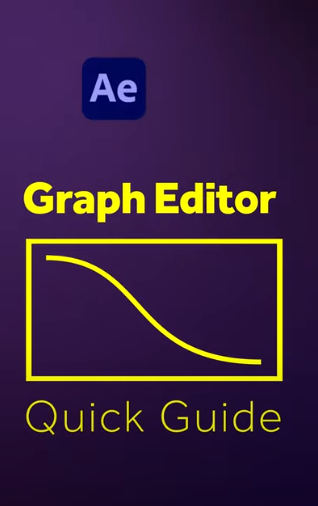
How To Use Graph Editor In After Effects

July 7, 2023August 29, 2023Jose Waller

The graphics tool in After Effects is a powerful tool for fine-tuning and controlling keyframe animation curves. Understanding how to use the graphics solution can greatly improve your work, giving…Continue readingHow To Use Graph Editor In After Effects

How to Cut in After Effects Shortcut: Editing Techniques Text and graphics

How to Cut in After Effects Shortcut: Editing Techniques

June 27, 2023January 12, 2024Jose Waller

In the fast-paced world of video editing, efficiency is key, and knowing how to make precise cuts swiftly can greatly enhance your workflow. In this segment, we will dive into…Continue readingHow to Cut in After Effects Shortcut: Editing Techniques

How to Render Faster in After Effects? Text and graphics

How to Render Faster in After Effects?

June 27, 2023January 30, 2024Jose Waller

In the realm of faster-generating tips for After Effects, the process of rendering, though time-consuming, is an inevitable part of the motion graphics journey. Nevertheless, there exist several methods to…Continue readingHow to Render Faster in After Effects?

Animate Your Logo in After Effects: A Step-by-Step Guide Text and graphics

Animate Your Logo in After Effects: A Step-by-Step Guide

June 27, 2023July 18, 2023Jose Waller

In the meantime, animation software has grown in popularity, effectiveness, and usability to meet the needs of the growing user population. Therefore, even amateurs now have the power to design…Continue readingAnimate Your Logo in After Effects: A Step-by-Step Guide

Animating a Line in After Effects: Step-by-Step Guide Text and graphics

Animating a Line in After Effects: Step-by-Step Guide

June 27, 2023July 18, 2023Jose Waller

When one is tasked with drawing a line between two points, underlining text, or even creating a simple lightsaber effect, possessing the knowledge of animating lines in After Effects becomes…Continue readingAnimating a Line in After Effects: Step-by-Step Guide

Guide: Unlock After Effects for Free on Chromebook Text and graphics

Guide: Unlock After Effects for Free on Chromebook

June 27, 2023July 18, 2023Jose Waller

Purchasing a Chromebook appeals to many individuals, particularly students and young professionals seeking efficient productivity. These compact and lightweight mini laptops offer a user-friendly experience. Moreover, Chromebooks are economically advantageous…Continue readingGuide: Unlock After Effects for Free on Chromebook

Achieve Dynamic Visuals with After Effects Reverse Video Text and graphics

Achieve Dynamic Visuals with After Effects Reverse Video

June 27, 2023July 18, 2023Jose Waller

There exist several approaches to reversing a video clip in After Effects. To assist users in selecting the most suitable technique for their projects, the following four tutorial methods have…Continue readingAchieve Dynamic Visuals with After Effects Reverse Video

A Comprehensive Tutorial On Changing Aspect Ratio Text and graphics

A Comprehensive Tutorial On Changing Aspect Ratio

June 27, 2023July 18, 2023Jose Waller

Aspect ratio plays a crucial role in visual storytelling, and mastering it is essential for creating captivating videos and animations. In this comprehensive guide, we will delve into the world…Continue readingA Comprehensive Tutorial On Changing Aspect Ratio

Mastering Blending Modes In After Effects Text and graphics

Mastering Blending Modes In After Effects

June 27, 2023July 18, 2023Jose Waller

In the vast realm of video editing and motion graphics, there exists a formidable software known as After Effects. Revered by professionals far and wide, it wields an unparalleled might…Continue readingMastering Blending Modes In After Effects

Posts navigation

Older posts
Newer posts

About the program

  • Adobe After Effects
  • Adobe After Effects features
  • What After Effects is used for
  • System requirements and installation

Projects and compositions

  • Projects
  • The basics of composition
  • Preliminary composition
Copyright © 2026 After-MaX | Caff by Firefly Themes
Scroll Up